


SDP x WLC Puzzle Event

Event created by Kun
Hey everyone!
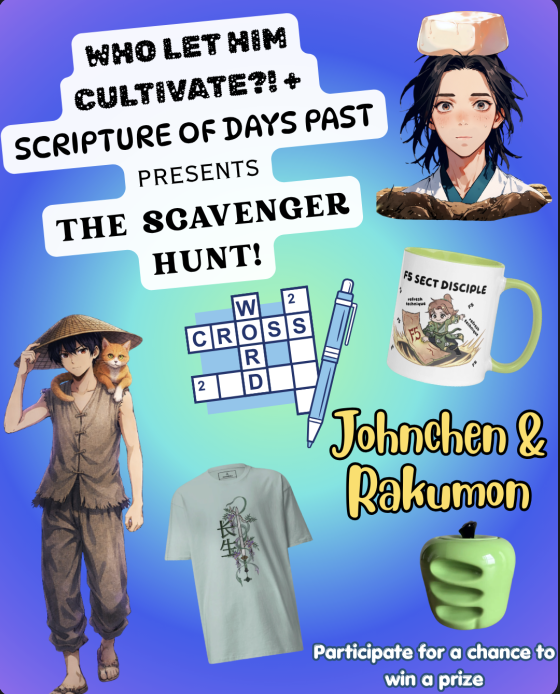
As part of a collaboration between the translators of Scripture of Days Past (SDP), Johnchen, and Who Let Him Cultivate?! (WLC), Rakumon, we have decided to run a scavenger hunt! There are ten total clues in the scavenger hunt, with each clue yielding a word that relates to both novels.
The clues are littered throughout the first 20 chapters of SDP and WLC, and to complete the event, you must find the clues, solve them to uncover the words that they hold, then plug those words into a final crossword (linked below)
https://puzzel.org/en/crossword/play?p=-Oqo8A5huvpqgq9KOQRk
The clues can be anywhere in the first 20 chapters of the two books, so make sure to be on the lookout as you read!
Date & Time
Release of Clues: 15 May 2026
Submission Timeline: 16 May 2026 04:00 UTC – 24 May 2026 04:00 UTC (approx. 1 week)
Submission
Take a screenshot of the solved crossword
Upload it to this form (make sure to submit within the timeline stated above!)
The first 4 people who submit the crossword with all the correct answers will get to choose their prizes in order.
Prizes
Here are some exciting prizes you can hope to win!
A mug or T-shirt of your choice from WuxiaWorld’s merch store (2 winners)
A $10 champion subscription of SDP or WLC for a month (1 winner)
Or a waiver of your champion fee for the next month (up to $10)
Tea container donated by Etvolare! (1 winner)


The clues for the scavenger hunt are already in the chapters, so you can already start solving them. Prepare to submit your answers when submission starts the next day! :3
Best of Luck!
John and Raku